

The Best AI Tools for Time Blocking and Task Prioritization
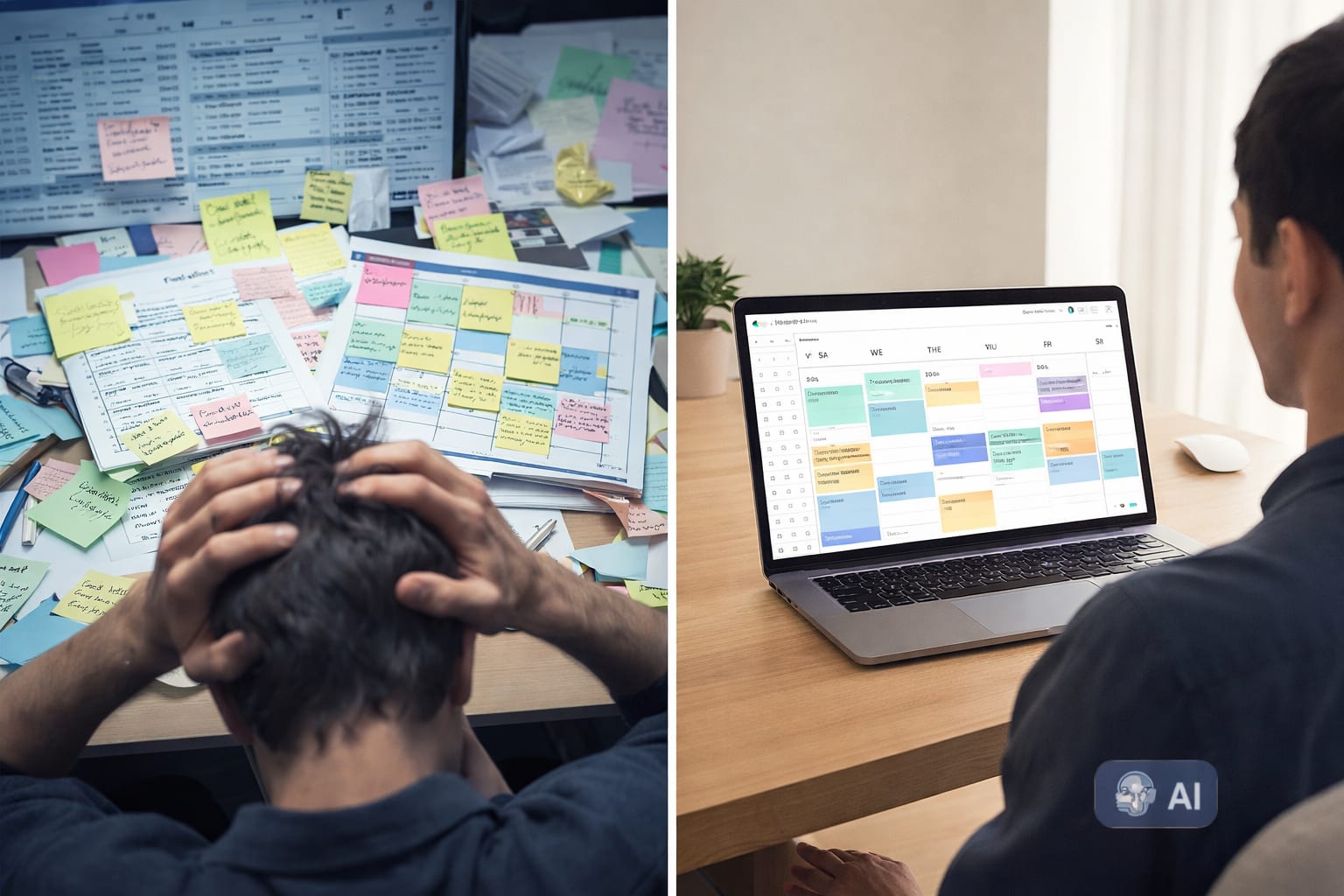
It’s Friday at 3:47 PM. You look at your calendar, a chaotic collage of colors representing meetings you barely remember. Your to-do list has 27 items, of which you’ve completed maybe four. You promised yourself this week would be different. You’d use that new time-blocking template. You’d tackle the big project. Instead, you spent your days reacting to Slack notifications and putting out fires that weren't yours.
This isn’t a failure of discipline. It’s a failure of system design. The traditional approach to time management—relying on willpower and static planners—can’t keep up with the velocity of modern work. The solution isn’t to try harder; it’s to use better leverage.
This is where AI tools for time blocking and task prioritization come in. They don’t just help you organize; they actively manage your time, prioritizing your work based on your goals, energy, and deadlines. By the end of this post, you’ll have a clear framework and a set of tools to stop reacting to your day and start architecting it.
Why Traditional Time Management Fails (And AI Doesn’t)
Most professionals operate on a flawed premise: that the human brain is a reliable task manager. It is not. Our brains are optimized for short-term survival, not long-term strategic planning. This leads to two primary pain points that AI is uniquely suited to solve.
The Flaw in “Willpower-Based” Planning
The classic method is simple: write a list, then try to do it. But this ignores the reality of cognitive load and task-switching costs. You end up spending your mornings on urgent but unimportant tasks because they’re easy to check off, leaving your most critical, high-impact work for the afternoon when your energy is lowest. This isn’t a personal failing; it’s a design flaw in the system.
How AI Shifts You from Manager to Operator
When you use AI for scheduling and prioritization, you move from being a project manager of your own day to a high-level operator. Instead of asking, "What should I work on next?" every ten minutes, you outsource that decision-making to a system. This frees up mental bandwidth for the actual work. The AI acts as a smart assistant, automatically blocking time for deep work, rescheduling tasks that slip, and ensuring your highest-priority items get the attention they deserve.
The Core Workflow: AI-Powered Time Blocking in 3 Steps
Before we dive into specific tools, let's establish a repeatable workflow. This three-step process forms the foundation of an AI-powered time management system.
Step 1: Centralize & Synthesize Your Inputs
Your time management system is only as good as the data it receives. If your tasks are scattered across email, Slack, Asana, and Notion, no AI can help you. The first step is to use a tool that acts as a single source of truth. Most of the apps listed below (like Akiflow or Motion) integrate with your existing tools to pull all your tasks into one unified list.
Step 2: Let AI Prioritize Your Tasks
This is where the magic happens. Once your tasks are centralized, the AI applies logic. It evaluates:
- Deadlines: What is due soon?
- Project Value: Which tasks are linked to your most important goals?
- Time Estimates: How long will each task actually take?
- Energy Levels: Can the AI learn to schedule creative work for your peak hours?
The AI then ranks your tasks, ensuring your daily plan is built around what truly matters, not what’s simply most recent or noisy.
Step 3: Block Time Strategically, Not Optimistically
Instead of you dragging and dropping tasks into a calendar (a manual, time-consuming process), the AI does it for you. It analyzes your available free time, the estimated duration of tasks, and your priorities to automatically schedule your day. If a meeting pops up, the AI dynamically reschedules your blocked time, ensuring your important work doesn't just disappear into the void.
Top AI Tools for Task Prioritization
These tools excel at intelligently ranking your workload so you know exactly where to focus.
Motion: The All-in-One AI Calendar
Motion is one of the most aggressive AI schedulers on the market. It’s designed for people who want to hand over the reins entirely. You input your tasks, set your priorities and deadlines, and Motion’s AI schedules them into your calendar in real-time. Its prioritization engine is its core strength. If a new high-priority task comes in, it will automatically reshuffle your day to fit it in, bumping lower-priority items to later in the week. It’s ideal for project managers and entrepreneurs juggling multiple complex projects.
Reclaim.ai: The Smart Habit Protector
Reclaim.ai takes a slightly different approach. It’s built to protect your non-negotiables. You can set “Habits” (like daily deep work, lunch, or exercise) and “Tasks” from your project management tools. The AI then schedules your tasks around your habits, ensuring your personal and professional priorities are balanced. Its strength is in its flexibility and its powerful analytics, which show you exactly how you’re spending your time across different projects. For a deeper dive on using AI to protect your creative focus, check out our guide on AI for Deep Work Strategies.
Akiflow: The Unified Command Center
Akiflow functions less like a traditional calendar and more like a command center. It pulls in tasks from over 30 tools (including Notion, ClickUp, and Jira) into a single, searchable list. Its prioritization feature is simple but effective, allowing you to label tasks as "Focus," "Next," or "Waiting." You can then use its AI to quickly slot these prioritized tasks into your calendar using keyboard shortcuts. Akiflow is perfect for knowledge workers who live in multiple apps and need a central place to manage their day.

Top AI Tools for Time Blocking & Deep Work
Once priorities are set, these tools excel at the actual act of blocking time and protecting your focus.
Sunsama: The Mindful Daily Planner
Sunsama blends AI assistance with a mindful, intentional planning process. Instead of auto-scheduling your entire week, it encourages you to start each day by dragging your prioritized tasks onto a visual calendar. Its AI helps by providing smart time estimates based on past behavior and suggesting when to schedule tasks. Sunsama’s strength is in its “shutdown” feature, which prompts you to end your day, archive completed work, and move unfinished tasks to tomorrow. It’s ideal for creators and consultants who want structure without sacrificing a sense of control.
Ellie: The AI Meeting Scheduler
A major source of time fragmentation is meeting scheduling. Ellie is an AI assistant that integrates with your email to handle the back-and-forth of finding a meeting time. It works in the background, allowing you to focus on your work. By automating the scheduling logistics, Ellie frees up more time for you to spend on the deep, strategic work that you’ve already blocked out in your calendar.
A Real-World AI Workflow for Knowledge Workers
Let’s see how these tools can work together in a practical scenario.
The Person: A marketing manager named Sarah.
The Old Way: Sarah starts her day by scanning 200 emails, getting pulled into three impromptu calls, and working on a low-priority slide deck until 3 PM. She then frantically tries to work on her Q3 strategy report, but she’s too mentally drained to do it well.
The AI-Powered Way:
- Input: Sarah’s tasks from Asana and emails are automatically pulled into Akiflow.
- Prioritize: Akiflow’s AI analyzes her tasks. “Q3 Strategy Report” (due Friday, high value) is marked as a “Focus” task. “Update social graphics” (due next week) is marked as “Next.”
- Schedule: Motion takes over. It sees Sarah’s calendar has a 2-hour free block on Tuesday morning. Knowing Sarah’s peak focus time is 9–11 AM, it auto-schedules the Q3 Strategy Report there.
- Protect: Reclaim.ai has a “Lunch” and “Deep Work” habit set. It ensures a 45-minute lunch break and a 90-minute deep work block are protected from meeting invites.
- Execute: Sarah opens her Motion calendar on Tuesday morning. Her most important work is already scheduled. She doesn’t waste mental energy deciding what to do next. She just follows the plan.
The result? Sarah’s most critical work gets done during her peak hours, and the low-priority tasks are scheduled for her natural energy dips.
Conclusion: Build Systems, Not Just Schedules
The goal of using AI tools for time blocking and task prioritization isn’t to have a perfectly filled-out calendar. The goal is to create a system that eliminates the mental friction of deciding what to do next. It’s about building a reliable process that ensures your most important work gets the time and energy it deserves, regardless of the daily chaos.
These tools are powerful, but they are not magic. They are leverage. They work best when you apply logic to your own priorities first. Define what matters, set clear deadlines, and then let the AI handle the logistics. Start by choosing one tool from this list—perhaps one that solves your most immediate pain point, like meeting scheduling or task centralization—and integrate it into your workflow. The time you save on managing your time can be reinvested into the work that actually moves the needle.

